Type real dimensions, start from a proven template, cut or join pieces in plain language, then export a true-size file for final review in your slicer—all in your browser.
No sign-up. · Offline after one complete load. · Nothing leaves your computer. · STL export is free; Pro adds color 3MF.
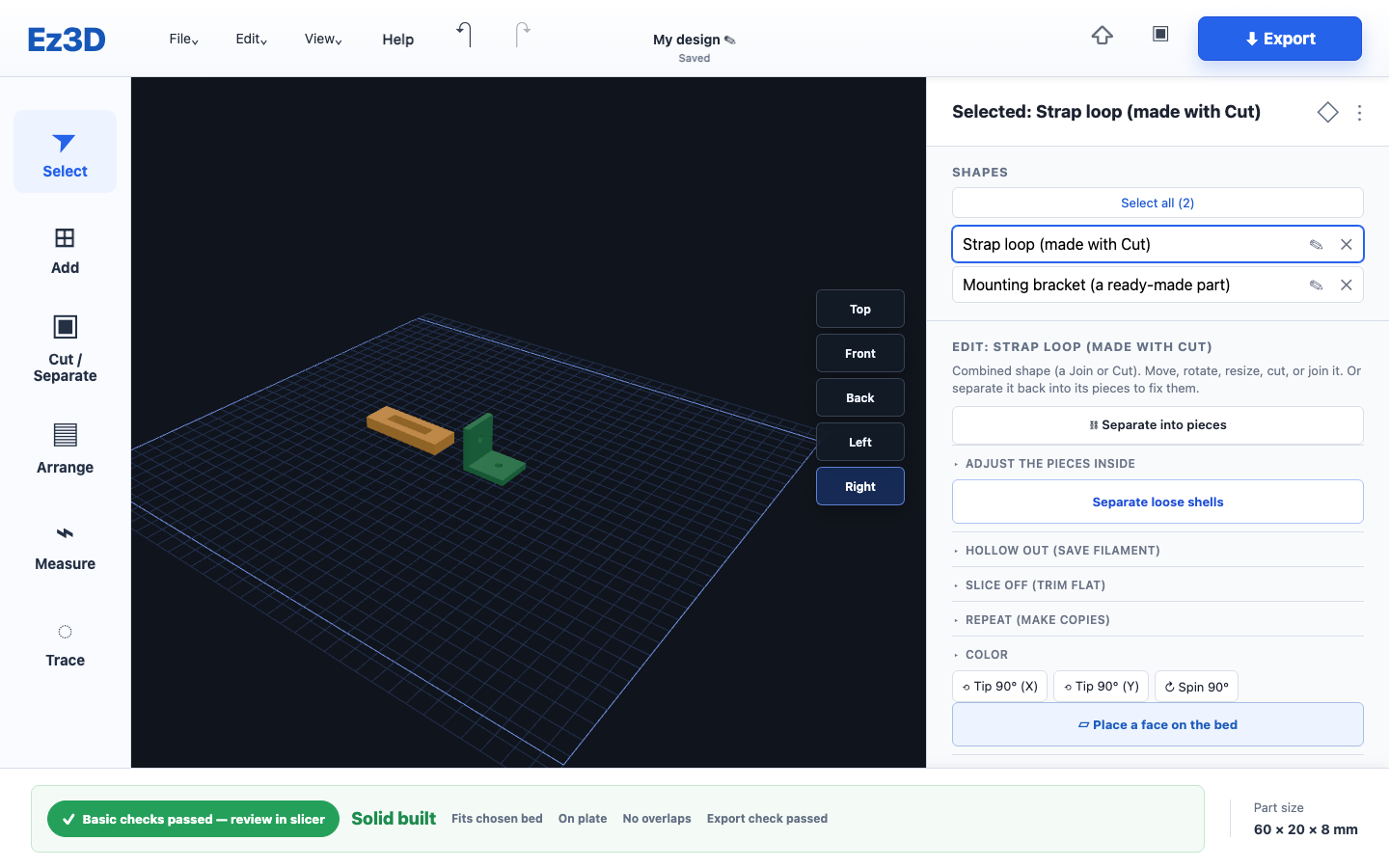 Exact millimeter controls
Runs locally in your browser
Exact millimeter controls
Runs locally in your browser
Why Ez3D exists
Most 3D apps are either too basic to make functional parts, or so complex you give up before you start. Ez3D is built for the gap in between.
Fun for blocks and name tags, but no real threads, no precise sizing, no print checks. You hit a wall fast.
Type the sizes, pick a template, cut a hole, add real threads, run basic fit and placement checks, then export.
Powerful, but a steep cliff of menus, constraints, and tutorials. Overkill when you just need a bracket that fits.
What you can make
Start from a shape or a ready-made template, then make it yours with simple, plain-language tools.
Snap a photo of a flat part (a gasket, bracket, cover plate…), and Ez3D finds the outline, sizes it for real, and turns it into a printable model. Or draw one by hand.
Nuts, bolts, threaded rods, and tapped holes that actually thread together, with an adjustable fit gap.
Type every dimension in millimeters, or inches (just type "2in"). What you draw is what you print, 1:1.
Make a hole, glue shapes together, counterbore or countersink for flush screws. No "boolean" jargon.
Brackets, washers, standoffs, hooks, knobs, cable clamps, boxes with lids: adjust a few numbers, done.
Sealed STL/3MF solids can be resized and combined. Open or very detailed meshes stay useful as reference parts; small gaps may be repairable.
Choose your printer and Ez3D conservatively flags bed-fit, placement, thin overall dimensions, and separate overlapping parts. Your slicer remains the final check.
Hollow a part to save filament, round or bevel the edges, and repeat a shape in a grid or circle.
Click two points to measure distance and gap, or three for an angle, right on your model in real time.
Autosave reports when each design is saved on this device and restores the latest completed save after a refresh or crash.
How it works
Pick a basic shape or a template from the Add menu.
Set the dimensions in mm or inches. See the size update live.
Cut holes, join parts, round edges, then let Print check flag common fit and placement issues.
Download a true-size STL (or Pro 3MF), then review orientation and settings in your slicer.
Plans
The free version is a genuinely useful tool, not a crippled demo. Pro unlocks the full parts library and file importing for makers who want the works. One payment, yours forever. No subscription.
| Feature | Free | Proone-time |
|---|---|---|
| Basic shapes (box, cylinder, sphere, cone, tube, plate, rounded box) | ✓ | ✓ |
| 3D text & labels | ✓ | ✓ |
| Move, rotate, resize, mirror | ✓ | ✓ |
| Cut holes & join shapes | ✓ | ✓ |
| Round/bevel edges, hollow out, array (grid/circle) | ✓ | ✓ |
| Live measure & print check | ✓ | ✓ |
| Starter templates (bracket, washer, hook, standoff, box+lid) | ✓ | ✓ |
| Export STL | ✓ | ✓ |
| Save & open projects + autosave | ✓ | ✓ |
| Nuts, bolts, threaded rods & sockets (real threads) | ✗ | ✓ |
| Tapped holes, counterbore & countersink tools | ✗ | ✓ |
| Knobs, cable/pipe clamps, screw-hole plates | ✗ | ✓ |
| Import STL / 3MF (editable solids + reference mode) | ✗ | ✓ |
| Export 3MF (Bambu's native format) | ✗ | ✓ |
Pricing
Forever. No sign-up, no card.
Launch price. Pay once, yours forever, with every future update included.
Questions
No. There's no sign-up, ever. Open the page and start designing. Pro is unlocked with a one-time license key, no account required.
Yes. After one complete online load, Ez3D caches the app for offline use. Your design work and files stay on this device.
No. Pro is a single one-time payment. You own it, and future updates are included.
Ez3D exports standard STL files, and Pro also exports 3MF. Open the result in a compatible slicer such as Bambu Studio, PrusaSlicer, Cura, or OrcaSlicer. Everything is built in true millimeters at 1:1 scale.
Not at all. Everything is plain language: "Cut a hole," "Make it hollow," "Round the edges." If you can type a number, you can use it.
Yes. The free tier is a real, useful tool, not a trial. Upgrade to Pro only if you want the full parts library and file importing.
Yes (Pro). Sealed solids can be resized and combined. Open or extremely detailed files come in as reference parts you can place, scale, and export; small mesh gaps can sometimes be repaired.
No CAD, no account, no waiting. Open it and make something.
Start designing, free Ez3D
Ez3D